Help & How-To Center
Step-by-step guides and answers for managing your shared vacation property
Step-by-step guides for every feature
Practical, step-by-step instructions for getting the most out of OurSharedPlace — whether you co-own a family cabin, a beach house, or any other shared vacation home.
Getting Started
Two ways to get everyone on board your shared vacation property: send personalized email invitations with assigned roles, or share a join code that lets people add themselves.
Read guideStep-by-step guide to drafting and storing a shared vacation property agreement in OurSharedPlace — usage schedules, expense splits, maintenance duties, voting rules, and exit strategies.
Read guideCalendar & Bookings
Set per-member annual booking quotas in OurSharedPlace so every co-owner of your shared vacation property gets fair access to peak weeks.
Read guideHow administrators handle booking requests in OurSharedPlace — approve, decline, see overlapping requests, and keep a fair history for your shared vacation property.
Read guideHow to mark dates as unavailable for maintenance, contractors, or owner-only use on your shared vacation property in OurSharedPlace.
Read guideStep-by-step guide to running a fair round-robin booking queue for the high-demand season at your shared vacation property — turn-based date picking with email reminders.
Read guideProperty Setup
Build reusable checklists for departure, cleaning, winterizing, and spring opening at your shared vacation home. Step-by-step guide with screenshots.
Read guideHow to upload photos to the OurSharedPlace gallery for your shared vacation property, set a featured image, and share the gallery with co-owners and guests.
Read guideGuests & Access
Communication
Build a shared directory of plumbers, electricians, neighbors, and cleaners for your shared vacation home so any co-owner can reach the right person quickly.
Read guideEmbed walkthrough videos in your shared vacation home blog articles by uploading to YouTube as Unlisted, then pasting the link into an OurSharedPlace article.
Read guideFrequently Asked Questions
Quick answers to common questions about bookings, members, billing, and more.
Use your browser's search (Ctrl+F or Cmd+F) to find specific topics
Getting Started
After signing up and logging in, click "Add Property" from your dashboard. Fill in your property details including name, description, and address. You can add photos and additional details later from the property gallery.
Navigate to your property and click on the "Members" tab. Click "Invite Member" and enter their email address, first and last name, and select their role (Admin, Member, or Guest). They will receive an email invitation to join.
Administrators have full control and can manage members, approve bookings, and edit property details. Members can create booking requests, upload photos, and write blog posts. Guests have view-only access to property information.
Bookings & Calendar
Members can request bookings by clicking on dates in the calendar. Administrators must approve or decline these requests. Only approved bookings appear as confirmed on the calendar. This ensures fair scheduling among all co-owners.
Yes! Administrators can set annual booking quotas for each member in the Members section. This limits how many days per year each person can book, ensuring fair access to the property.
If multiple members request the same dates, administrators can see all requests and decide which to approve based on your group's policies. Rejected requests remain in the system for record-keeping.
Yes, administrators can create maintenance or blocked bookings directly on the calendar. These appear differently than regular bookings and prevent members from requesting those dates.
Blog & Communication
Blog posts let you share updates, maintenance notes, how-to guides, and property news. You can add images and YouTube videos, use tags to organize posts, and control visibility (Admins only, Members+, Guests+ and Public).
Yes! You can embed YouTube videos in blog posts. This is great for creating video how-to guides (like "How to use the hot tub" or "Where to find the circuit breaker").
When creating a blog post, you choose the visibility level: Administrators only, Members and up, or Guests and up. This lets you control sensitive information while sharing useful updates with everyone.
Photos & Gallery
Go to the Gallery tab for your property and click "Upload Photos". You can select multiple photos at once. After uploading, you can set one photo as the featured image that appears on your property card.
The featured image is the main photo that represents your property on the dashboard. To set it, go to the Gallery, find your preferred photo, and click "Set as Featured".
Contacts & To-Dos
Store important contacts like plumbers, electricians, property managers, neighbors, cleaning services, and local service providers. Include multiple phone numbers, email, website, address, and notes for each contact.
Yes! When creating a to-do item, you can assign it to any member of your property. Assigned members will receive notifications about new tasks (when email notifications are enabled).
Embed & Integration
Embed links let you display your property blog, contacts, or to-do list on external dashboards (like Home Assistant) without requiring login. Generate these from Property Settings → Embed Links.
Embed links use unique tokens that are difficult to guess. However, anyone with the link can view that content. You can regenerate the token at any time to invalidate old links. Only published blog posts are visible via embed.
Copy the embed URL from your property settings and use it in a Webpage card or iFrame in Home Assistant. The link provides a read-only view with filtering and search capabilities.
OurSharedPlace supports iCal export so you can subscribe to your property calendar from any app. If you need more advanced iCal synchronization across services like Airbnb, VRBO, Google Calendar, and Apple Calendar, check out MasterCalendar.io — it provides two-way iCal sync, conflict detection, and a unified view of all your calendars in one place.
Account & Billing
OurSharedPlace costs $99 per property per year. There are no per-user fees, so you can invite unlimited members. New properties include a 14-day free trial.
Yes! You can be a member of multiple properties, and each property is billed separately at $99/year.
Click on your profile icon in the top right corner and select "Profile" to update your name, email, and avatar.
If you delete your account, you will be removed from all properties where you are a member. If you are the only administrator of a property, you must transfer admin rights or delete the property first.
Troubleshooting
Check your spam folder first. If you still do not see it, ask the administrator to resend the invitation. Invitations expire after 7 days, so you may need a new one if too much time has passed.
Click "Forgot Password" on the login page and enter your email address. You will receive a password reset link. Make sure to check your spam folder if you do not see it.
Only administrators can approve or decline booking requests. If you need this ability, ask an existing administrator to change your role to Admin in the Members section.
Make sure your photos are in a supported format (JPG, PNG, WebP) and under 10MB each. If you are uploading many photos at once, try uploading them in smaller batches.
From the Blog
Longer-form articles and perspective pieces on shared-property ownership.
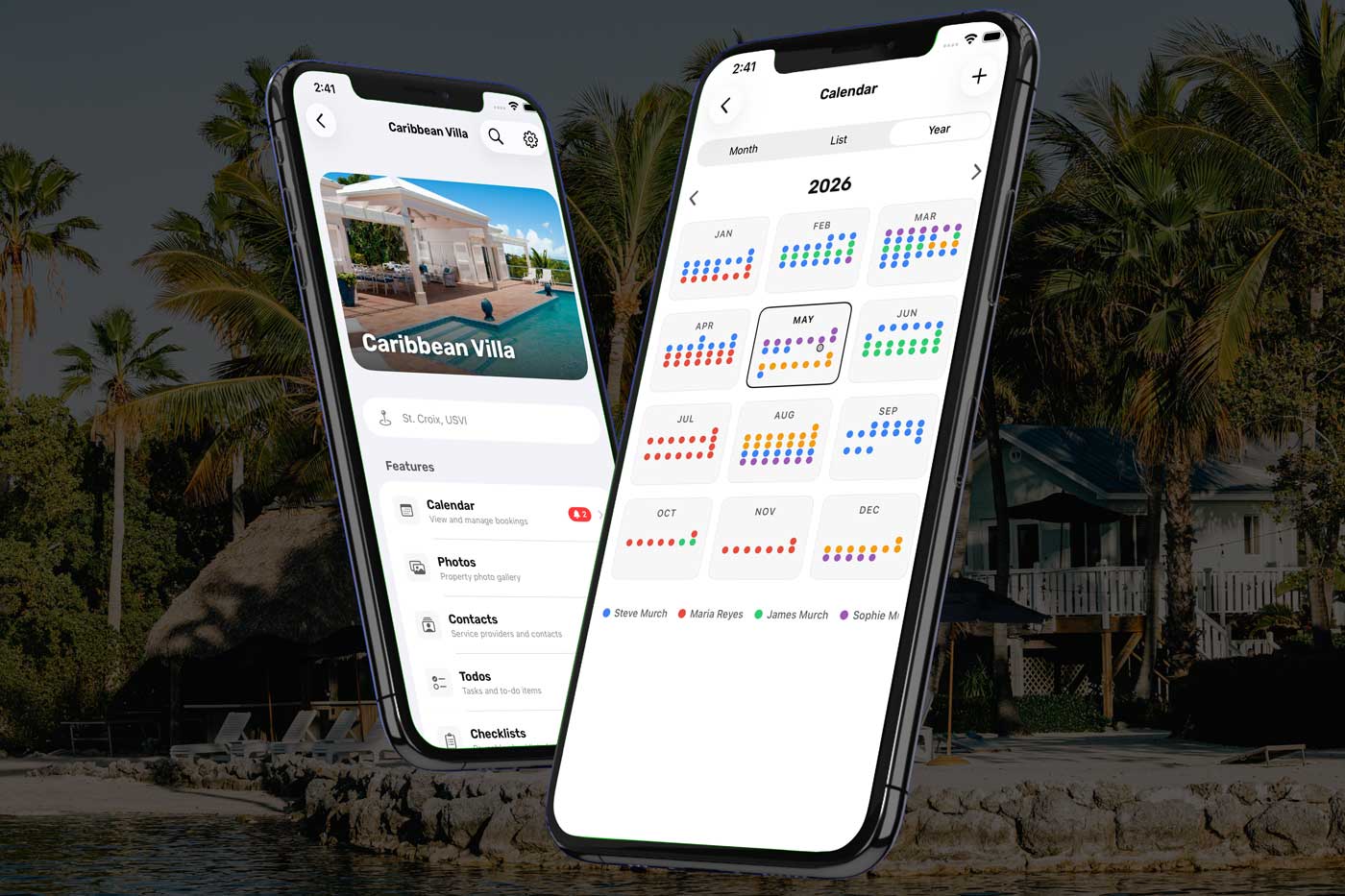
The OurSharedPlace iPhone app is live in the App Store. Sign in with your existing account and take your shared calendar, photos, expenses, and members with you everywhere. Free for current subscribers.
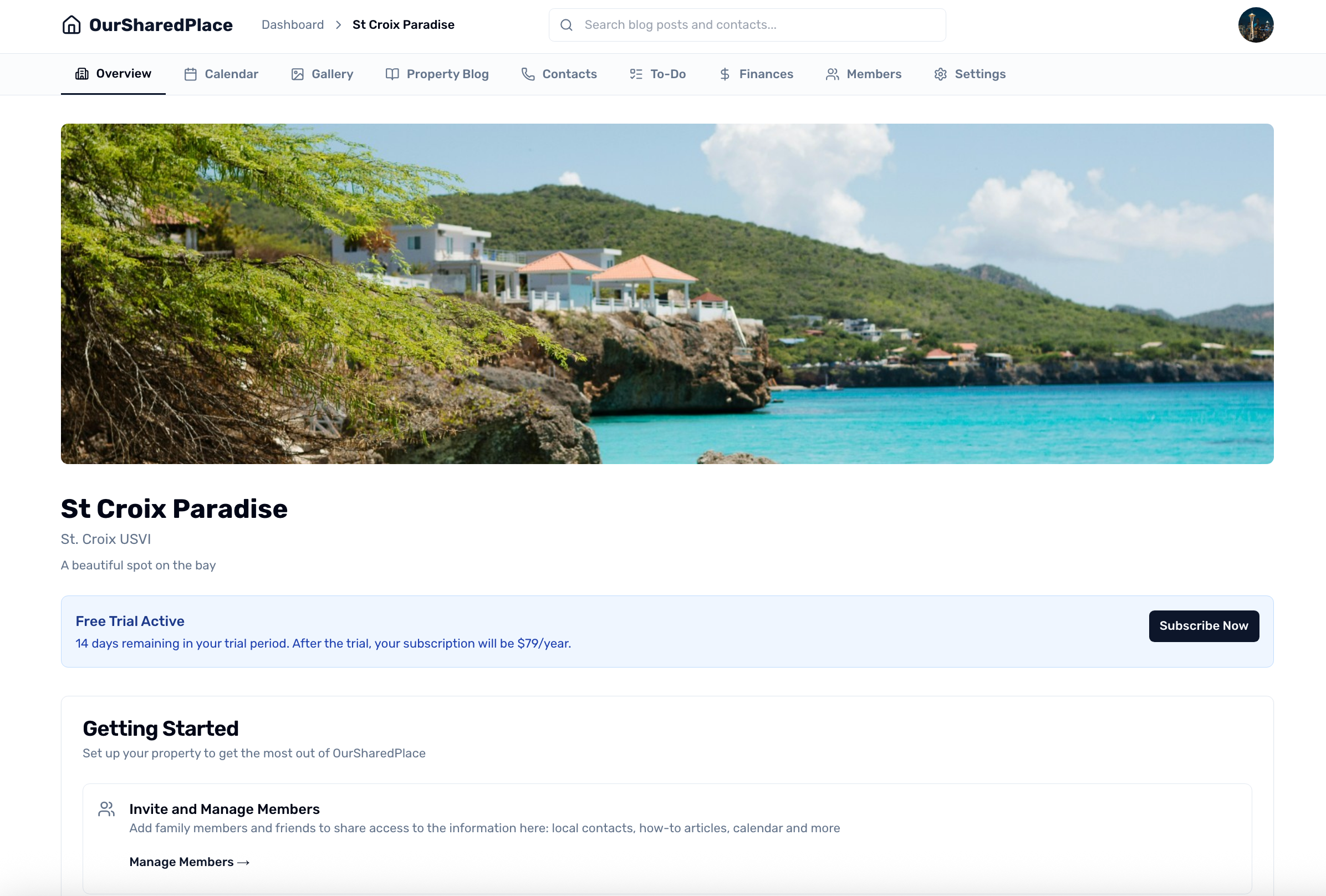
A new home for step-by-step how-to guides on running your shared vacation property — embedding calendars, building reusable checklists, inviting co-owners, syncing with Airbnb and VRBO, and more. Public, searchable, and free to read without an account.

Build reusable checklists for the things that happen at your property over and over — checkout, cleaning, winterizing, spring opening — and share them with guests as a tap-friendly link they can run from a tablet or phone, no sign-in needed.

Learn how our companion product, mastercalendar.io can merge iCal feeds from Airbnb, VRBO, Booking.com, and OurSharedPlace into a single unified calendar. Prevent double bookings and manage all your rental listings from one place. Your OurSharedPlace login already works.

Two ways to get everyone on board: send individual email invitations with specific roles, or share a join code that lets people add themselves. A step-by-step guide for property administrators.

Take turns choosing dates in a structured order with time-bound windows, per-member night allowances, and automatic email reminders. A fair, low-drama way to run season booking for your shared property.
Use our contact form to reach our support team, or submit feedback through your dashboard.