How to Run a Round-Robin Booking Queue for Your Shared Vacation Home
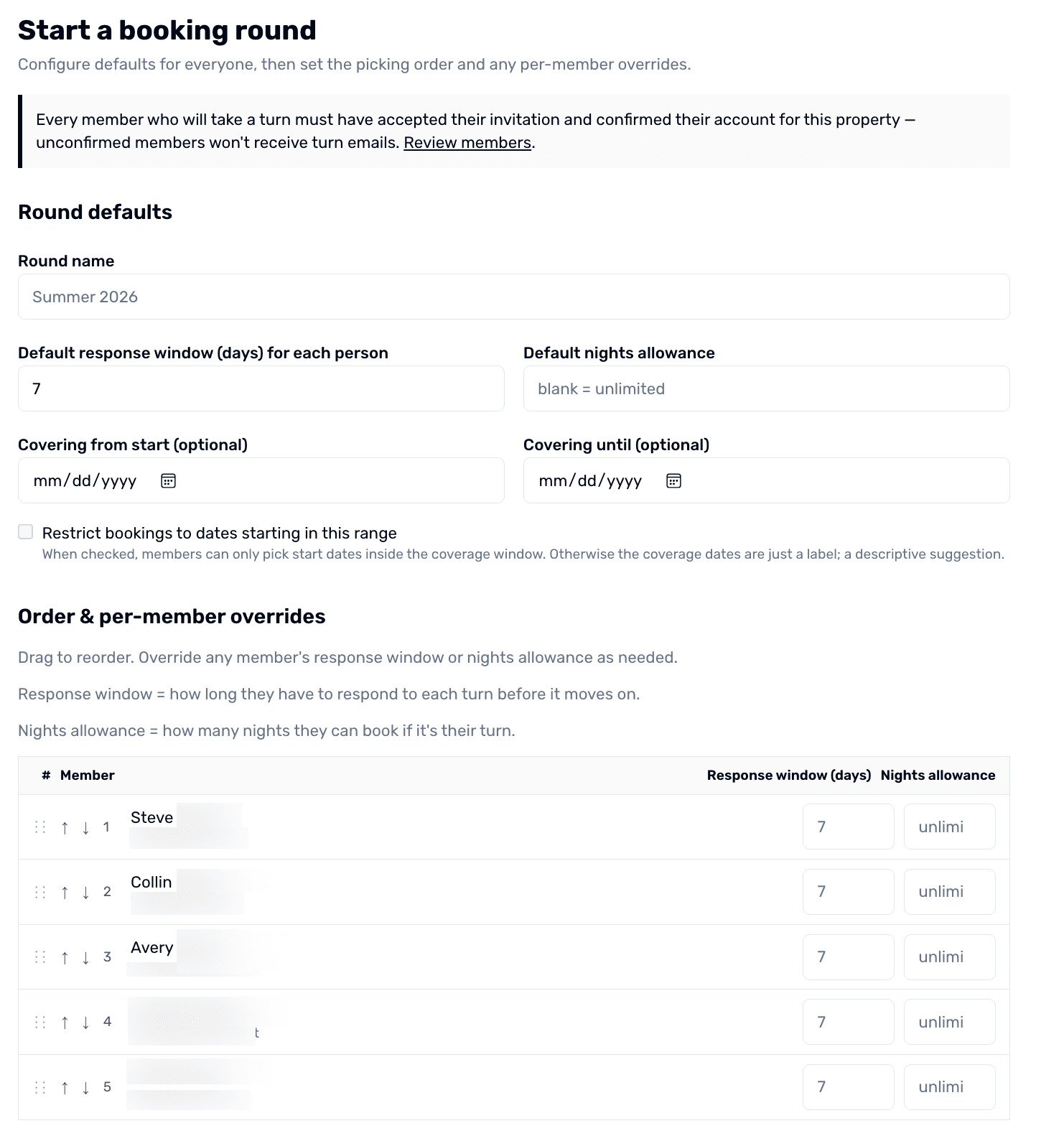
When the high-demand weeks at your shared vacation home are oversubscribed every year, simple quotas aren't enough. The Round-Robin Booking Queue lets co-owners take turns picking dates in a structured order, with a time-bound window per person and automatic email reminders.
Step-by-step
- 1
Open the Booking Queue tool
From your property dashboard, open the Bookings tab and choose Round-Robin Queue. Click 'Start a New Queue'.
- 2
Set the queue parameters
Pick the date range that the queue covers (e.g. June 1 – August 31), the per-member night allowance for each turn, and the window size (e.g. 48 hours per person to make their pick).
Round-robin booking queue for a shared vacation property
- 3
Set the order
Drag members into the picking order. Most groups rotate the order each year so the same person isn't always first — OurSharedPlace can suggest the rotation based on prior years.
- 4
Launch the queue
Hit Launch. The first person in the queue gets an email with a link to their pick window. They have the configured number of hours to claim their dates before the turn auto-advances to the next member.
- 5
Watch picks roll in
As each member picks, the calendar fills in. Everyone can see the queue progress in real time. When the last member is done, regular booking opens for any remaining gaps.
Tips
- Run two queues per year for very busy properties — one for summer, one for winter holidays.
- Use your blog to document the queue order rule so newcomers understand how it works.