How to Embed Your Vacation Home Calendar in a Website or Dashboard
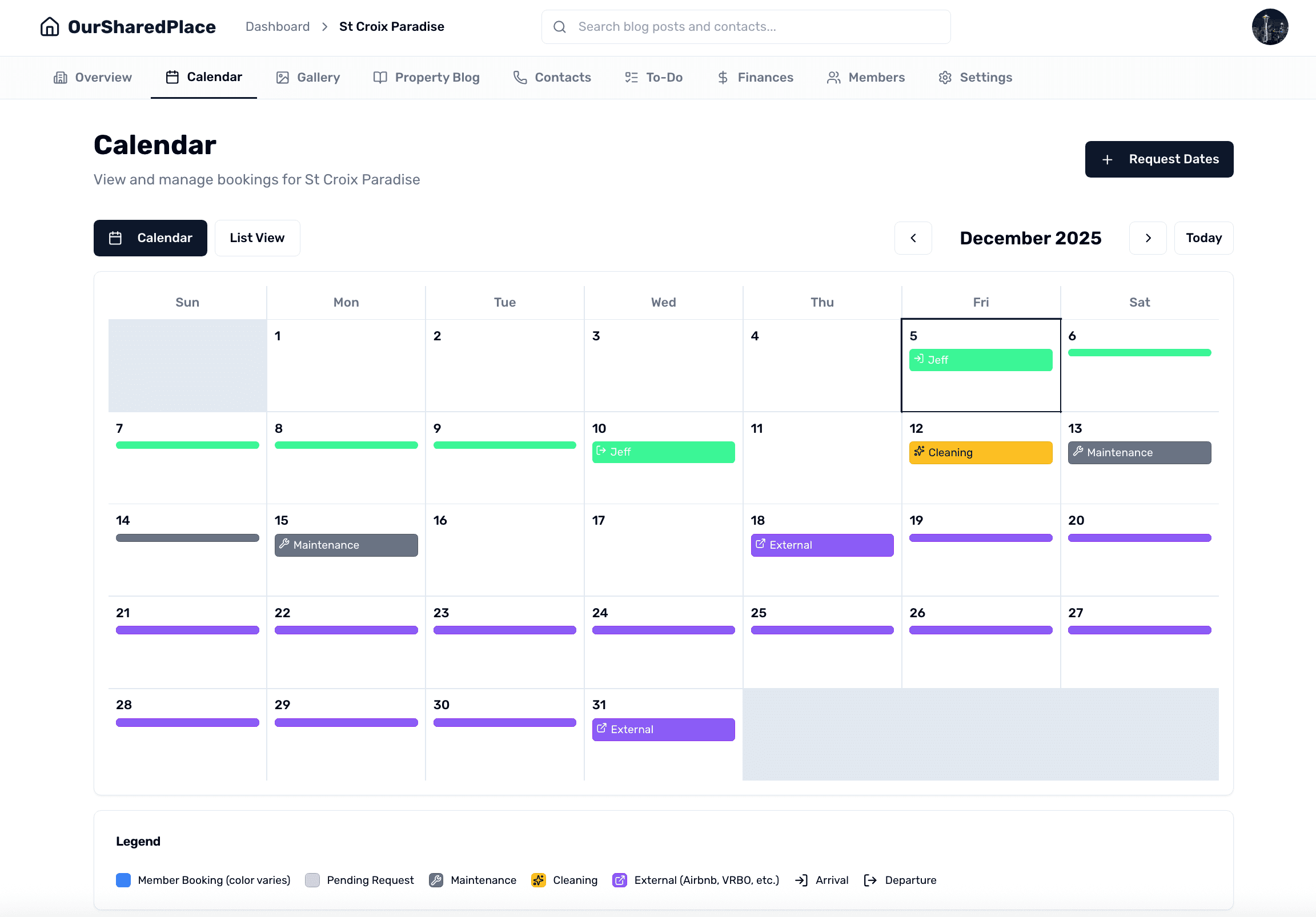
OurSharedPlace is built with permission levels, and by default, we think you want things kept private, behind a login. We offer embed tokens for the calendar, blog, and other content from your shared vacation property so you can share links without requiring login. This is a great way to keep co-owners, family members, or even Airbnb guests in the loop without forcing them to sign in. OurSharedPlace generates a token-protected embed URL for each property that you can drop into any iframe — a website, a Notion page, a Home Assistant dashboard, or an internal company wiki.
This guide walks through generating the embed link, dropping it into a webpage, and revoking it later if you ever need to.
Step-by-step
- 1
Open your property settings
From your dashboard, click into the shared vacation property you want to embed, then open the property settings. Look for the Embed Links section — this is where every embed token for the property lives.
- 2
Generate an embed link for the calendar
Choose Calendar from the embed type options. OurSharedPlace creates a unique, hard-to-guess token URL. Copy it to your clipboard.
Generating an embed link for a shared vacation property calendar
- 3
Paste the URL into an iframe or webpage card
On the website or dashboard where you want the calendar to appear, paste the URL inside an iframe element. The embedded view is read-only and works on any modern browser.
- Home Assistant: add a Webpage card and paste the URL.
- Notion: paste the URL and choose 'Create embed' when prompted.
- WordPress / Squarespace: use the standard Embed block.
- Plain HTML: <iframe src="YOUR_EMBED_URL" width="100%" height="700" />.
- 4
Rotate the token if you ever need to revoke access
Anyone with the embed URL can see the calendar, so treat it like a shareable link. If the link is exposed, return to property settings and regenerate the token — the old URL stops working immediately and a new one takes its place.
Tips
- Embed links never expose member contact info or private booking notes — they show only confirmed dates and the booking holder's first name.
- You can also generate embed links for the property blog, contact directory, and to-do list — handy for shared-vacation-property dashboards.
- If you use MasterCalendar.io for full two-way iCal sync with Airbnb or VRBO, the embed calendar still works alongside it.
Frequently asked
Do viewers need an OurSharedPlace account to see the embed?
No. The embed URL is public for anyone with the link, which is the whole point — guests, contractors, and extended family can view the calendar without creating an account.
Can I make the embed read-only?
All embeds are read-only by design. Only signed-in members of the property can request or modify bookings.