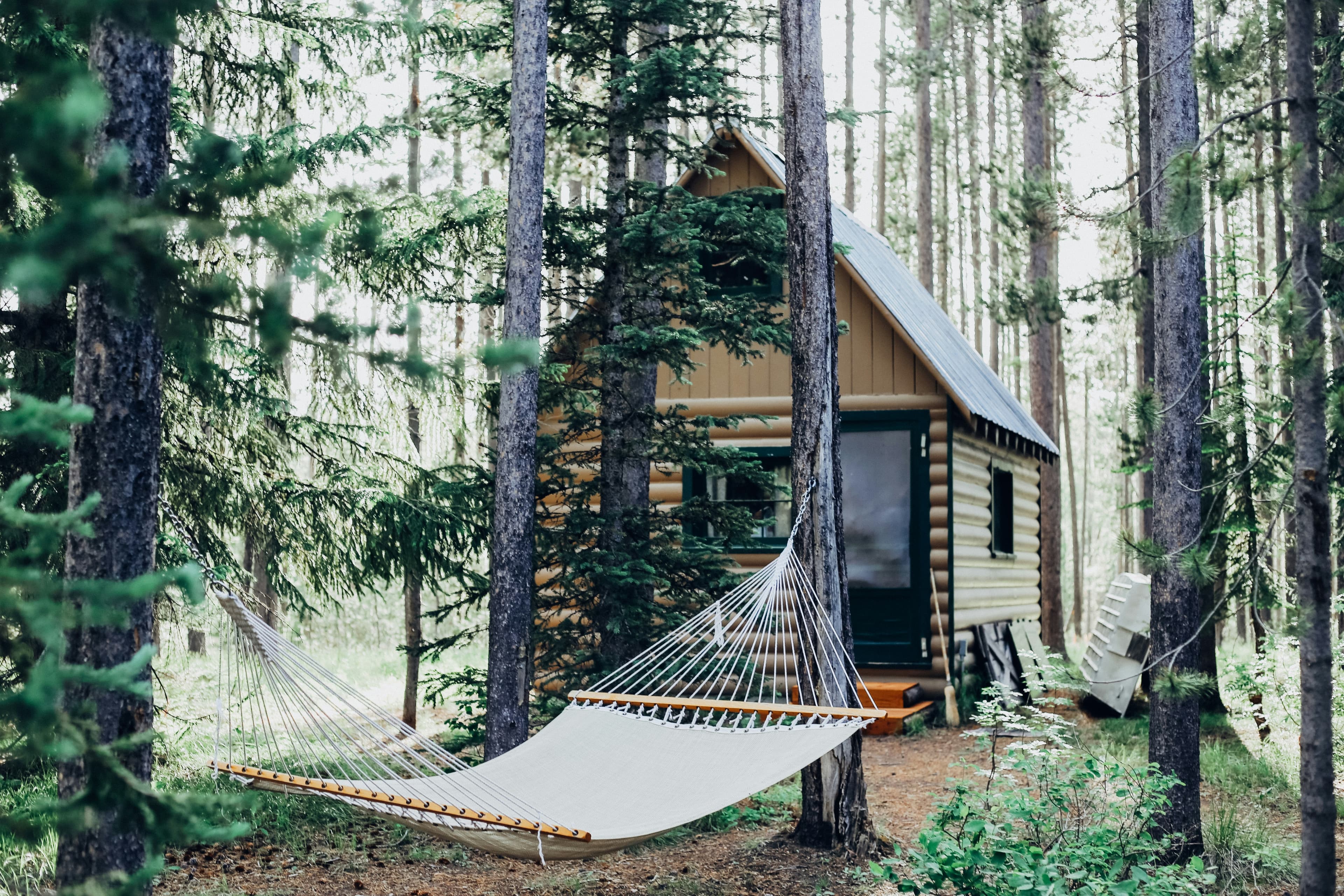
New: Give Your Shared Vacation Home Its Own Booking Website
Get a professional, commission-free booking page for your co-owned vacation property. Share a single link with potential guests and let them browse photos, check availability, and submit booking inquiries — no platform fees, no middleman.
Why a Dedicated Booking Page?
Many families who co-own vacation properties also rent them out part of the year to help cover expenses. But listing exclusively on Airbnb or VRBO means paying platform commissions of 3–15% on every booking and competing with thousands of other properties. Word-of-mouth referrals, social media posts, and repeat guests are often your best source of bookings — but until now, there was no clean way to send those people somewhere to learn about the property and request dates.
That changes today. OurSharedPlace now lets you create a commission-free public booking page for your property at a custom URL like book.oursharedplace.com/lake-tahoe-cabin. It's a professional mini-website for your property that you fully control — and every booking that comes through it is 100% yours, with no middleman taking a cut.
What Your Booking Page Includes
Every booking page is built from the information you already have in OurSharedPlace. Toggle sections on or off to show exactly what you want.
Photo Gallery
Showcase your property with a full photo gallery and lightbox viewer. Choose which photos are visible to the public by marking them individually, so private or internal photos stay hidden.
Custom Description and Heading
Write a rich description of your property using a full-featured text editor. Add a custom heading or let it default to your property name. The description supports formatting, so you can highlight what makes your place special.
Amenities, House Rules, and Nearby Attractions
Add lists of amenities (hot tub, WiFi, fireplace), house rules (no smoking, quiet hours after 10pm), and nearby attractions (ski resort 5 min away, grocery store 2 miles). Guests see everything they need to know before reaching out.
Live Availability Calendar
Optionally display an availability calendar that shows which dates are already booked. This pulls directly from your OurSharedPlace bookings, so it's always up to date. Guests can see open dates at a glance before submitting an inquiry.
Booking Inquiry Form
A built-in form lets visitors submit booking requests with their name, email, desired dates, and a message. You can also enable optional fields for phone number, number of guests, and referral source. Every inquiry lands in your OurSharedPlace dashboard and triggers an email notification.
How to Set Up Your Booking Page
Getting Started (4 Easy Steps)
- 1. Open Settings — From your property dashboard, navigate to the Public Booking Page settings in the sidebar.
- 2. Choose Your URL Slug — Pick a custom slug for your page. We'll suggest one based on your property name, but you can change it to anything you like (lowercase letters, numbers, and hyphens).
- 3. Configure Your Content — Add your description, amenities, house rules, and nearby attractions. Toggle which sections are visible. Mark the photos you want displayed publicly.
- 4. Enable and Share — Flip the switch to make your page live, then share the link anywhere: email, social media, text messages, or printed materials.
That's it. Your booking page is live and ready to receive inquiries. You can update the content anytime from the same settings page.
Managing Booking Inquiries
When someone submits a booking inquiry through your page, here is what happens:
You get notified: All property administrators receive an email with the inquiry details, including requested dates, the guest's contact information, and any message they included.
Review in your dashboard: Every inquiry is saved and visible in your OurSharedPlace dashboard. You can see all pending, responded, and archived inquiries in one place.
Reply directly: The notification email is set up so you can reply directly to the guest's email address. No need to copy and paste contact information.
Collecting Payment Safely
OurSharedPlace doesn't process payments directly — you communicate with guests and handle payment on your own terms. This gives you flexibility, but it's important to protect yourself from scams and fraudulent bookings.
Payment Methods
Most property owners use one of these methods for direct bookings:
- Venmo or PayPal: Quick and easy for U.S. guests. Good for repeat guests you trust. Use Goods & Services on PayPal (not Friends & Family) for buyer/seller protection.
- Bank transfer (Zelle, wire): No fees, but also no fraud protection. Best for repeat guests or people you know personally.
- Check or cash: Old-fashioned, but works. Require cleared checks before confirming the reservation.
- Third-party platforms: Some owners still use Airbnb for payment processing even for direct bookings, accepting the fee in exchange for the platform's protection.
Best Practices to Avoid Scams
- Watch for overpayment scams: If someone “accidentally” sends too much money and asks you to refund the difference, it's almost always fraud. The original payment will be reversed, and you'll be out the refund amount.
- Verify identity for new guests: For first-time bookings from strangers, ask for a phone call or video chat. Scammers hate real-time conversation.
- Require deposits upfront: Collect at least 50% deposit when confirming the reservation. Full payment should clear before the guest arrives.
- Be wary of urgency: Scammers create false urgency (“I need to book today or I'll lose my flight”). Legitimate guests understand that property owners need time to verify bookings.
- Never accept cashier's checks from strangers: Fake cashier's checks are common. They initially clear, then bounce days later after the guest has already checked in.
- Trust your gut: If an inquiry feels off (vague details, poor English when claiming to be from the U.S., reluctance to provide info), decline it. There will be other guests.
Note: These are general guidelines, not legal advice. Consider consulting with an attorney about contracts and liability protection for your specific situation, especially if you rent frequently.
You Control Everything
The booking page is fully configurable from your admin settings. Here is what you can customize:
Section Visibility
Toggle the calendar, address, and photo gallery on or off independently.
Form Fields
Choose which optional fields appear on the inquiry form: phone, guest count, referral source.
Photo Selection
Mark individual photos as public. Only photos you explicitly flag will appear on the booking page.
Enable/Disable
Turn the entire page on or off with a single toggle. Disabled pages return a 404.
Built with Privacy in Mind
Your booking page only shows what you explicitly choose to share. Here is how we protect your information:
- Disabled by default: No public page exists until you create and enable one.
- Photos are opt-in: Only photos you explicitly mark as public are displayed. Interior photos, personal items, or anything else you want to keep private stays hidden.
- Calendar privacy: When you enable the availability calendar, it shows dates as booked or available. Member names and booking details are not exposed to the public.
- Spam protection: The inquiry form is protected by Google reCAPTCHA, honeypot fields, and rate limiting to prevent abuse. Submissions are capped at 5 per email per property per day.
- Admin-only settings: Only property administrators can configure or enable the booking page. Regular members and guests cannot modify these settings.
When to Use a Public Booking Page
Direct Bookings from Repeat Guests
Guests who have stayed before often want to come back. Give them a direct, commission-free link instead of routing them through Airbnb where you'll lose a percentage of every booking. They check availability, submit a request, and you keep the full amount.
Word-of-Mouth Referrals
When a friend tells someone about your place, a clean URL like book.oursharedplace.com/lake-tahoe-cabin is far more professional than texting photos and trying to coordinate over email. One link gives them everything they need.
Social Media and Community Posts
Share your booking page link on Facebook groups, Nextdoor, or community boards. Interested people can see photos, check dates, and inquire without you having to answer the same questions repeatedly.
Supplementing Airbnb and VRBO Listings
You don't have to choose one or the other. Keep your Airbnb listing active for discovery and use your commission-free booking page for direct inquiries. Combined with calendar sync, availability stays consistent across all channels.
Search Engine Friendly
Your booking page is built with search engine optimization in mind. It includes proper page titles, meta descriptions, and OpenGraph tags so it looks great when shared on social media. If you have a featured photo set for your property, it will appear as the preview image when the link is shared on Facebook, iMessage, or other platforms.
Enabled pages are indexed by search engines, which means potential guests searching for vacation rentals in your area may find your page organically over time.
Available Now for All Properties
Public booking pages are live and available for all OurSharedPlace users at no additional cost. If you already manage a property on the platform, head to your property settings to set up your page today.
Combined with our calendar sync feature, you now have a complete toolkit for managing both personal use and rental bookings from a single platform.
Tip: Already have photos uploaded to your property? They're ready to use. Just mark the ones you want visible on your public page and you're set.